Key Takeaways
- Solana is a high-speed digital highway designed to handle thousands of transactions every single second with almost zero waiting time.
- Buying SOL requires a safe digital marketplace called a crypto exchange, where you swap cash for your new digital tokens.
- Security is your own job because digital cash does not have a neighborhood bank to protect it if you make a mistake.
- A digital wallet is your personal vault and you can choose between a software application on your phone or a physical device that looks like a thumb drive.
- Never share your secret recovery phrase with anyone or any website because it acts like the master key to your entire vault.
Welcome to the World of Solana
Imagine a digital playground where millions of people are playing games, trading art, and sending money to each other all at the same exact time. In most digital spaces, this much action would cause the whole system to slow down to a crawl. It would feel like being stuck in a massive traffic jam on a hot summer afternoon.
Solana fixes this problem. It is a special type of computer network built for extreme speed. While other older networks can only handle a handful of moves per second, Solana can process tens of thousands of actions before you can blink your eyes. This speed makes it the fastest growing digital money ecosystem on the planet right now.
Because it is growing so quickly, learning how to join this ecosystem is a fantastic skill to have. You are about to learn exactly how to buy your very first Solana tokens, which people call SOL for short. More importantly, you will learn how to lock them up so tight that nobody can ever steal them from you. Let us skip the boring fluff and dive right into the action.
Understanding the Solana Ecosystem
What is Solana Exactly
To understand why people love Solana, think of it as a giant, global computer that never turns off. Anyone in the world can write a program for this computer. These programs can be games, digital stores, or new ways to save money. The native token used to power this entire machine is called SOL.
When you want to do anything on this network, you use a tiny fraction of a SOL token to pay for the computer power you are using. Because the network is so efficient, these payments are so small that they feel like they are practically free.
Why Speed Matters so Much
On older networks, sending money to a friend can take ten minutes or even a few hours. If the network gets too busy, the price to send that money skyrockets. That makes it useless for buying everyday things like a slice of pizza or a video game skin.
Solana uses a special time-tracking system that lets all the computers on the network agree on the correct time without chatting back and forth for hours. This unique setup keeps the network running smoothly around the clock.
The Role of SOL Tokens
Think of SOL tokens as the fuel for a rocket ship or the tickets to an amusement park. You cannot ride the roller coasters without a ticket, and you cannot use Solana apps without SOL. You can also hold onto your SOL tokens if you believe the network will become even more popular in the future, which is what many people choose to do.
Setting Up Your Plan Before Buying
Deciding How Much to Spend
Before you rush out to buy your tokens, you need a smart plan. The world of digital money moves very fast. Prices can go up high in the morning and drop down low by the night. Because of this bumpy ride, you should only use money that you do not need for your regular life.
Never use money meant for school, food, or rent. Think of it like buying a ticket to a theme park. Once you buy the ticket, that cash is spent, and your goal is to enjoy the ride.
Choosing the Right Time
Many people waste hours trying to guess the perfect second to buy. A smarter path is to buy a tiny bit at regular times, like once a week or once a month. This strategy smooths out the bumps in the price over time, meaning you do not have to stress about watching the charts every single minute of the day.
Getting Your Identification Ready
Because you are trading real cash for digital tokens, the places that sell these tokens must follow strict rules. They need to know who you are to stop bad actors from moving money illegally. Before you start, make sure you have a government-issued identification card handy, like a driver license or a passport. You will also need a clean, well-lit space to take a quick selfie to prove your identity.
Selecting a Safe Crypto Exchange
What is a Crypto Exchange
A crypto exchange is an online marketplace that connects people who want to buy digital tokens with people who want to sell them. It acts like a giant digital shopping mall. You send your traditional cash from your regular bank account to this marketplace, and then you use that cash to buy SOL.
Centralized Exchanges for Beginners
For people starting out, centralized exchanges are the most straightforward option. These are big companies that operate just like traditional stock trading websites or online banks. They have customer support teams to help you if you get confused, and their screens are laid out in a clear way.
Top Places to Find SOL
There are a few massive global exchanges that are widely trusted by millions of users. These platforms have been around for many years and spend large amounts of money keeping their security systems up to date.
| Exchange Name | Best Feature | Good for Beginners |
| Coinbase | Very simple screens and simple layouts | Yes, excellent choice |
| Kraken | Wonderful live customer support | Yes, highly trusted |
| Binance | Tons of extra features and low fees | Yes, but has a lot of buttons |
Keeping an Eye on Trading Fees
Exchanges do not provide their services for free. Every time you buy or sell a token, they take a tiny cut of the trade. This is called a trading fee. Some platforms charge a flat fee, while others take a tiny percentage of your total order. Always check the fee screen before you hit the final buy button so you do not get an unpleasant surprise.
Creating and Verifying Your Account
Step by Step Sign Up Process
Once you pick your exchange, head over to their official website or download their official app from your smartphone app store. Make absolutely sure you are downloading the real app and not a fake look-alike created by a scammer. Look for high download numbers and positive reviews.
Click the sign up button and enter a valid email address. Pick a password that is long and contains a mix of letters, numbers, and symbols. Do not use your pet name or your birthday because those are too simple for bad actors to guess.
Passing the Identity Check
After confirming your email address, the platform will ask you to verify your identity. This is where you upload a clear picture of your identification card. Make sure the edges of the card are fully visible and the text is not blurry.
Next, you will likely need to hold up your phone and move your head in a circle to prove you are a living human being. This process can take anywhere from five minutes to a couple of days to get approved, so stay patient while the platform checks your details.
Turning on Extra Security Features
Before you put a single dollar into your new account, you must turn on a feature called two-factor authentication. People often call this 2FA for short. This feature forces the app to ask for two things before letting anyone log into your account. The first is your password, and the second is a special code sent to your phone or generated by a security application.
Why SMS Text Codes Are Not Enough
Many apps offer to send you a text message with your login code. While this is better than nothing, it is not the safest method. Smart scammers can sometimes trick cell phone companies into moving your phone number to a new device.
Instead, download a dedicated security app like Google Authenticator or Twilio Authy. These apps generate fresh codes every thirty seconds directly on your physical device, which makes it nearly impossible for someone far away to break into your account.
Funding Your Account With Cash
Connecting Your Bank Account
Now that your account is safe and approved, you need to bring some money into the marketplace. The most common way to do this is by linking your regular bank account. You will type in your routing number and account number through a safe portal.
Moving money this way is often free, but it can take a few business days for the funds to arrive in your exchange account.
Using a Debit Card for Speed
If you are in a rush and want to get your tokens immediately, you can link a traditional debit card. Debit card transfers happen in the blink of an eye, allowing you to use your funds instantly. However, exchanges usually charge much higher fees for debit card transactions, so you must decide if the speed is worth the extra cost.
Wire Transfers for Large Amounts
If you are planning to move a substantial amount of cash all at once, a wire transfer might be your best bet. Wire transfers usually cost a flat fee from your bank, but they can move giant sums of money within a single day. This is the path chosen by heavy traders who do not want to wait around for normal bank clearing times.
Executing Your First Solana Purchase
Finding the SOL Market
Log into your account and look for the search bar at the top of the screen. Type in the letters SOL. You will see a few options pop up, usually looking like SOL/USD or SOL/EUR. This simply means you are looking at the marketplace where people swap American dollars or European euros for Solana tokens. Click on that pair to open up the trading dashboard.
Understanding Market Orders
A market order is the quickest way to buy your tokens. When you use a market order, you are saying that you want to buy SOL right this second at whatever price is currently available in the marketplace. You just type in the total amount of cash you want to spend and click the buy button. The system matches you with a seller instantly, and the tokens appear in your balance.
Understanding Limit Orders
If you want to be a bit more strategic, you can use a limit order. This tells the computer that you only want to buy SOL if the price drops down to a specific number that you choose.
For example, if SOL is currently trading at one hundred dollars, you can set a limit order at ninety dollars. Your order will sit there quietly until the price dips down to ninety dollars. If the price never drops that low, your purchase will not happen, but if it does, you get your tokens at a discount.
Reviewing the Final Order Screen
Before you click that big shiny purchase button, take a deep breath and read the summary screen carefully. Check the total amount of SOL you are receiving, the total fee the exchange is taking, and the final amount of cash leaving your balance. Once everything looks correct, click the button to finalize the deal. Congratulations, you now officially own a piece of the Solana ecosystem.
The Importance of Private Wallets
Why Leaving Funds on Exchanges is Risky
Right now, your new SOL tokens are sitting inside the exchange where you bought them. While this is convenient, it means the exchange is holding onto the master keys for you. If the exchange goes out of business, suffers a massive technical glitch, or gets hacked, you could lose access to your funds completely.
There is a famous saying in the digital money world: not your keys, not your coins. To truly own your tokens, you need to move them into a private wallet that only you control.
How Digital Wallets Function
A digital wallet does not actually store physical coins inside your phone or computer. Instead, it holds your secret cryptographic keys. These keys are like a digital signature that proves to the entire Solana network that you are the true owner of a specific set of tokens. As long as you possess these keys, you can access your tokens from any device in the world.
Software Wallets vs Hardware Wallets
There are two main buckets of private wallets. Software wallets live as apps on your phone or extensions on your web browser. They are fantastic for daily use because they make it easy to interact with apps and games.
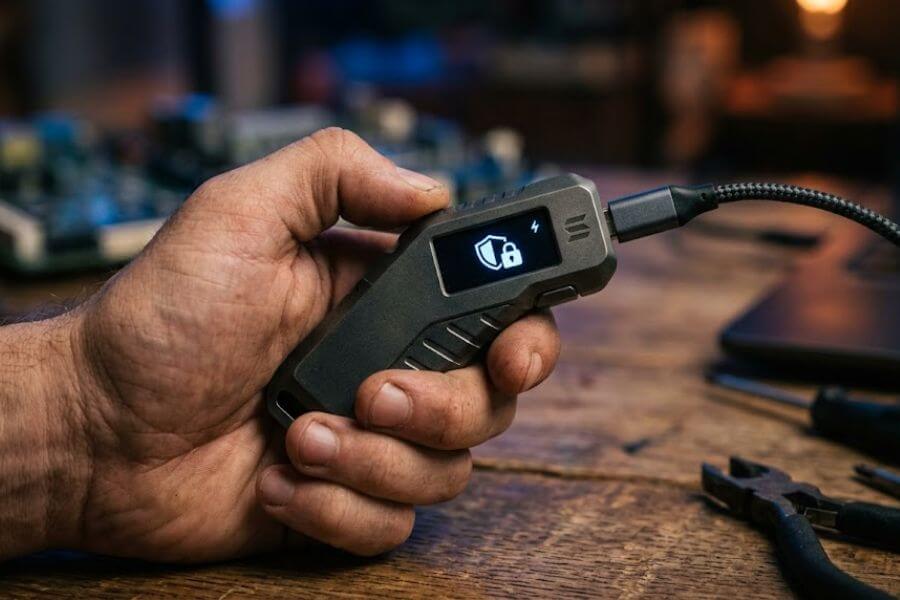
Hardware wallets are physical devices that look like small thumb drives. They keep your secret keys completely disconnected from the internet, which creates a massive shield against online thieves.
Choosing the Best Solana Software Wallet
Phantom Wallet
Phantom is the most popular software wallet in the entire Solana ecosystem. It is designed to be incredibly friendly for beginners, with clean icons and simple buttons.
It is available as an app for your smartphone and as a plugin for your web browser. Phantom makes it simple to view your tokens, look at digital collectibles, and swap different assets without needing to understand complex computer engineering.
Solflare Wallet
Solflare is another phenomenal option that has been supporting the Solana ecosystem since its very early days. It offers top-tier security features and gives you deep insights into your transactions.
Solflare is wonderful for users who want to see detailed data about what their tokens are doing and enjoy a stable, reliable app that gets updated constantly.
Backpack Wallet
Backpack is a newer type of wallet that is built for the next generation of digital applications. It allows you to run mini-programs right inside the wallet itself. If you love playing digital games or want to be on the cutting edge of new technology features, Backpack is a very exciting tool to explore.
Setting Up Your New Software Wallet
Downloading the Official Software
Go to the official website of the wallet you chose. Double check every single letter in the web address to ensure you are not on a fake site. Download the application to your phone or add it to your browser.
When you open the app for the first time, click the button that says create a new wallet.
Writing Down Your Secret Recovery Phrase
The app will show you a list of twelve or twenty-four random words. This list is your secret recovery phrase, often called a seed phrase. This phrase is the single most important piece of data you will ever own. If your phone breaks or your computer dies, you can type these words into a new device to recover all your funds instantly.
However, if someone else gets a look at these words, they can instantly steal everything you own, and nobody can stop them.
Safe Ways to Store Your Secret Phrase
Grab a physical piece of paper and a dark pen. Write down the words carefully in the exact order they appear on your screen. Do not take a screenshot, do not save them in a text document, do not email them to yourself, and do not store them in the cloud. Anything connected to the internet can be hacked.
Store that piece of paper in a safe place, like a fireproof box or a hidden drawer where only you can find it. Some people even stamp their words into metal plates so they can survive a house fire or a flood.
Creating a Strong Local PIN
After you write down your phrase, the app will ask you to create a password or a PIN code. This code is only used to unlock the app on that specific device so that a friend or sibling cannot grab your unlocked phone and mess with your funds. This local password does not back up your funds, so do not confuse it with your master recovery phrase.
Moving Your Tokens to Your Private Wallet
Finding Your Private Wallet Address
Open your new software wallet and look for a button that says receive. Click it, and you will see a long string of random letters and numbers. This is your public Solana address. Think of it like your home mailing address or your email address. Anyone can look at it or send things to it, but they cannot use it to break inside your house. Copy this long address to your clipboard.
Requesting a Withdrawal from the Exchange
Head back to the exchange where you bought your SOL. Go to your balance screen and look for a button that says withdraw or send. Select Solana as the asset you want to move.
Paste the long address you just copied into the destination box. Look closely at the first five letters and the last five letters of the address to make sure they match your wallet exactly.
Double Checking the Network Selection
The exchange will ask you which network you want to use to send the funds. You must select the Solana network. If you pick an older network by accident to save a nickel, your tokens will fly off into the void of cyberspace and vanish forever. Most modern platforms will select the correct network for you automatically based on your address, but it is always wise to look with your own eyes.
Sending a Small Test Transaction First
If you are moving a substantial number of tokens, it can be terrifying to hit that send button. To calm your nerves, send a tiny fraction of a token first, like a few dollars worth of SOL. Wait a couple of minutes to ensure it arrives safely in your private wallet.
Once you see the test amount pop up in your wallet balance, you know the path is clear, and you can confidently send the rest of your stash using the exact same steps.
Stepping Up to a Hardware Wallet
Why Buy a Physical Security Device
If your digital asset collection starts growing into a significant amount of value, relying solely on a software wallet can feel a bit risky. Software wallets are still running on devices that connect to the internet, which means a highly sophisticated piece of computer malware could theoretically spy on your screen.
A hardware wallet keeps your private keys locked inside a physical chip that never touches the internet, keeping your keys safe even if you plug the device into a computer crawling with viruses.
Leading Hardware Brands
The two gold standards in the physical security space are Ledger and Trezor. Both companies make highly secure, durable devices that connect to your phone or computer via a cable or wireless connection.
| Hardware Brand | Screen Quality | Solana Support |
| Ledger Nano S Plus or X | Clear and bright | Excellent through Ledger Live and Phantom |
| Trezor Safe 3 or Elegant | Crisp and clean | Wonderful through native app integrations |
The Right Way to Order a Hardware Wallet
Never buy a hardware wallet from a discount website, an auction site, or a second hand marketplace. Scammers sometimes buy these devices, open them up, write down the recovery words, pack them back up neatly, and sell them to unsuspecting buyers.
When the buyer loads money onto the device, the scammer uses the words they kept to steal everything. Always buy your device directly from the official manufacturer website to guarantee that the security seals are fresh and untampered with.
Linking Hardware to Your Software Wallet
Once you set up your hardware device and generate a completely fresh set of recovery words on its physical screen, you can connect it to your Phantom or Solflare app. The software app acts as a beautiful viewing screen, while your physical device holds the keys.
When you want to send money, you click send on your computer, but nothing happens until you physically press the buttons on your hardware device to approve the move.
Spotting and Avoiding Common Scams
Staying Safe from Fake Customer Support
The digital asset space is full of tricksters looking for easy targets. One of the most common tricks happens on social media platforms and discussion boards. If you post a message saying you are confused or need help, multiple accounts will slide into your private messages pretending to be official support workers.
They will offer to fix your problem if you just give them your secret recovery phrase. Real support agents will never, under any circumstance, ask for your words. Anyone who asks for them is a criminal trying to rob you.
Spotting Poisoned Air Drops
Sometimes you will open your private wallet and notice a strange new token or digital art piece that you never bought. This is called a poisoned air drop. The description of the item will often tell you that you have won a massive prize and need to visit a specific website to claim your free cash.
When you connect your wallet to that malicious website and sign the approval message, the hidden code will instantly drain every single token out of your account. If you see a random asset you did not buy, ignore it and leave it completely alone.
Guarding Against Phishing Sites
Phishing is when a thief creates a near perfect copy of a website you trust to steal your login credentials. For example, they might build a site that looks exactly like the Phantom wallet download page, but change one single letter in the web address.
If you type your recovery words into that fake page, your funds disappear within seconds. Always bookmark your favorite crypto websites and use those saved links instead of typing the names into search engines every single time.
Keeping Your Tech Clean and Up to Date
Running Regular Software Updates
The coders who build wallets and security tools are constantly finding and fixing tiny holes in their defensive shields. To stay safe, you must keep your computer operating system, your smartphone apps, and your web browsers updated to the newest versions. Turn on automatic updates so your devices can download these security shields while you are asleep.
Avoiding Public Wireless Networks
Never log into your crypto exchange account or open your private wallet while connected to a public wireless network, like the free internet at a coffee shop, a library, or an airport. Bad actors can sit on those same public networks and use special sniffing tools to read the data floating through the air.
If you must manage your funds while away from home, turn off your phone wireless connection and use your cellular data instead, which is significantly harder for outsiders to intercept.
Using a Clean Dedicated Browser
If you do a lot of activities on your computer, consider setting up a completely separate web browser just for managing your digital assets. Do not install any fun custom themes or weird extensions on this specific browser.
Many free browser extensions, like custom mouse pointers or coupon finders, secretly track your typing activity and read what is happening on your screen. Keeping your crypto browser completely bare bones reduces your risk down to a minimum.
What to Do with Your Solana After Buying
Holding for the Long Term
The simplest path to take after securing your SOL is to do absolutely nothing. You can let it sit quietly in your private wallet or hardware device for months or years while the ecosystem grows around it. This path requires zero daily effort and keeps you safe from making emotional mistakes based on daily market movements.
Staking Your Tokens for Rewards
If you want your SOL to work for you while it sits in your vault, you can participate in a process called staking. Staking means you are temporarily pledging your tokens to help support the computers that run the Solana network.
In exchange for helping keep the system safe and stable, the network pays you a steady stream of bonus tokens as a reward. Your tokens never leave your ultimate control during this process, making it a very popular choice for long-term holders.
Exploring the Digital Playground
If you are feeling adventurous, you can use a tiny amount of your SOL to explore the thousands of applications built on the network. You can collect unique digital artwork, play video games where you truly own your in-game items, or swap tokens instantly with people on the other side of the planet.
Just remember to treat this playground with caution and keep the bulk of your savings locked away in a separate, secure hardware vault.
Frequently Asked Questions
Can I lose my Solana if my smartphone breaks into pieces?
You will not lose your tokens if your phone breaks, drops in a pool, or gets lost. Your tokens are not stored inside the physical phone itself, they live out on the global Solana network.
As long as you have your paper sheet with your twelve or twenty-four secret recovery words written down safely, you can buy a brand new phone, download the wallet app again, type in your words, and your entire balance will instantly reappear.
What is the difference between a public address and a private key?
Your public address is like your email address. It is completely safe to share it with friends, family, or exchanges so they can send tokens directly to you.
Your private key, which is represented by your secret recovery phrase, is like the master password to your entire email account. Anyone who sees it can take total control of your funds. You must share your public address freely to receive money, but you must hide your private keys from the world.
Why are my transaction fees on Solana so much lower than on other networks?
Solana was built from the ground up using modern computer science breakthroughs that handle data much more efficiently than older networks. It coordinates time using a specialized clock built into the code, which stops computers from wasting time arguing about when transactions happened.
This extreme efficiency keeps the system completely clear of data jams, allowing the network to charge tiny fractions of a single penny for each transaction.
Can I cancel a Solana transaction after hitting the send button?
You cannot cancel or reverse a transaction once it has been sent out into the Solana network. Because the network moves at lightning speed, transactions are finalized and locked into the digital record book within a couple of seconds.
There is no bank manager or customer support desk to call if you send your money to the wrong person. This is why you must always double-check every single character of the destination address before confirming a transfer.
Is it safe to buy Solana tokens using a credit card?
While many exchanges allow you to use a traditional credit card to buy tokens, it is generally a risky idea. Credit card companies often treat crypto purchases as cash advances, which means they will hit you with high processing fees and start charging heavy interest rates from the exact second you make the purchase.
Furthermore, buying digital assets on credit means you are investing with borrowed money, which can put you in a very dangerous financial spot if the price drops. Stick to using your own cash from a checking account or a debit card instead.