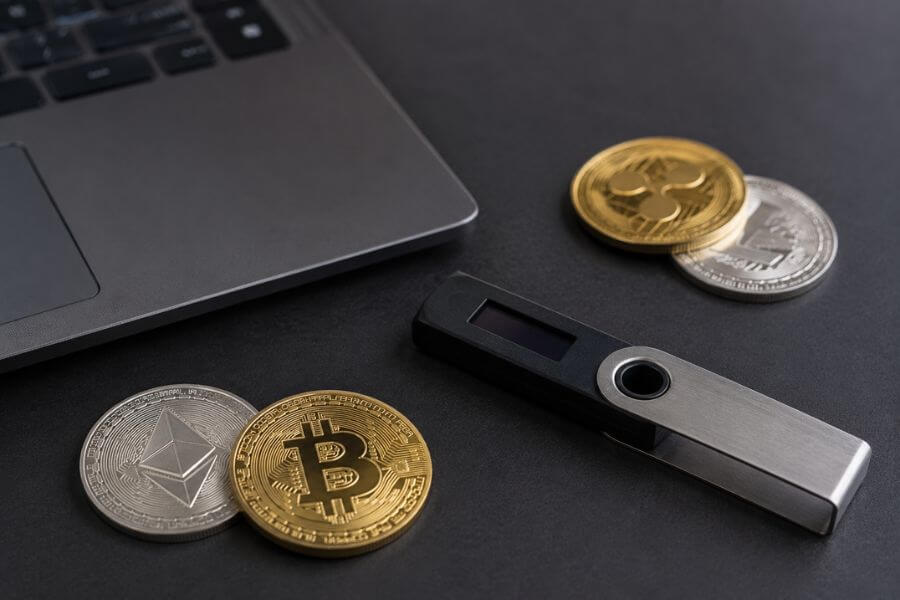
Key Takeaways
- Total Ownership: Cold storage keeps your private keys completely offline, meaning no online hacker can ever touch your digital assets.
- The Vulnerability of Apps: Software wallets on your phone or computer are always exposed to the internet, leaving them open to malware, phishing, and remote attacks.
- Physical Confirmation: Hardware devices require you to physically press buttons to approve any movement of your funds, giving you the final say on every transaction.
- Peace of Mind: Using a hardware wallet removes the constant worry of exchange collapses or sudden online security breaches.
Your Crypto Is Not Actually in a Wallet
Think about the coins you own. You might picture them sitting inside an app on your phone, shiny and digital, waiting for you to spend them. But that is not how blockchain technology works at all. Your crypto never lives on your phone, and it never lives on your computer. In fact, it does not even live inside a physical hardware device.
All your crypto lives permanently on the blockchain, which is a massive, shared digital ledger that runs across thousands of computers around the world. The blockchain simply keeps track of which addresses own how many coins. If your coins are always out there on the public network, how do you actually prove they belong to you?
You prove ownership using something called a private key. A private key is a secret piece of data, like a massively complex password, that matches your public address. Your public address is like an email address; anyone can see it, and anyone can send coins to it. Your private key is like the password to that email account. Whoever holds the private key controls the coins.
If a hacker steals your private key, they can sign a transaction and move your coins to their own address in seconds. Once that happens, there is no support team to call, no bank to reverse the charge, and no way to get your funds back. Protecting your crypto does not mean locking up digital coins; it means hiding your private keys where nobody else can find them.
The Invisible Dangers of Staying Online
Most people start their crypto journey by downloading a free app on their phone or using a website on their laptop. These are known as hot wallets because they are constantly connected to the internet. They are very convenient for quick trading, but keeping your keys on an internet-connected device is like leaving your front door unlocked in a crowded city.
Malicious Software is Watching You
Your computer and phone run dozens of programs and background apps every day. Sometimes, without you even knowing it, a bad piece of software can slip into your system. This malware can silently watch everything you do.
Some malware is designed to scan your hard drive for text files that look like private keys or recovery words. Other programs, called keyloggers, record every single keystroke you make, waiting for you to type in your password. If your wallet app displays your keys on your screen, a hidden screen-capture virus could take a photo of it and send it back to a thief halfway across the world.
The Traps of Clever Fake Sites
Phishing is one of the most common ways people lose their digital assets. Scammers create websites that look exactly like your favorite crypto exchange or wallet provider. They use web addresses that look almost identical to the real ones, perhaps changing just one letter.
When you type your login details or your private keys into one of these fake pages, you are handing them directly to a criminal. Because hot wallets rely on your web browser or phone operating system to function, they can easily be tricked by these malicious setups.
Wireless Interceptions
Whenever you connect to a wireless network at a local coffee shop, an airport, or a hotel, you are sharing a digital space with strangers. Professional thieves can set up fake wireless spots or monitor public networks to intercept the data traveling to and from your device. If your wallet app transmits unencrypted information, or if the app itself has a hidden flaw, your private keys could leak over the airwaves.
What is a Cold Storage Wallet
Cold storage is a term used to describe any method of keeping your crypto private keys completely isolated from the internet. By cutting off the online connection, you instantly eliminate the threat of remote hacking, online viruses, and digital spying.
The Concept of Being Offline
Imagine you have a piece of paper with a top-secret password written on it. If you lock that paper inside a heavy metal box in your basement, no hacker in the world can steal it using a computer script. They would have to physically walk into your house, find your basement, and crack open the box. This is the core philosophy of cold storage.
Cold storage comes in a few different forms, but the most secure and practical method is using a dedicated hardware wallet. These are small electronic devices built for one specific purpose: to look after your private keys and sign transactions safely. They do not browse websites, they do not download apps, and they never expose your secrets to the web.
How a Dedicated Device Works
When you set up a hardware wallet, the device itself generates your private keys using an internal random number generator. The keys are built inside the device and stay locked within a special secure microchip.
When you want to send crypto to a friend, you plug the device into your computer or connect it via Bluetooth to your phone. You use a companion software program to type in the transaction details, such as the amount of coins and the destination address. This program sends the unsigned transaction data down the cable into your hardware wallet.
Inside the safe walls of the device, the microchip uses your private key to sign the transaction. Once signed, the approved transaction is sent back up the cable to your computer, which then broadcasts it to the blockchain network. The crucial point here is that your private key never leaves the physical device. The only thing that travels across the cable to your internet-connected computer is the final, approved signature.
Why Software Wallets Cannot Compete
Software wallets are great for holding small amounts of spending money, but using them for your life savings is a massive risk. To understand why, you have to look at how different the underlying security designs are.
General Purpose Systems vs Single Purpose Devices
Your smartphone and your laptop are general-purpose tools. They are designed to do a million things at once: browse social media, open email attachments, play games, and stream videos. Because they are so flexible, they have massive amounts of complex software code running underneath the surface. Every piece of new software you install, and every website you visit, introduces potential bugs and security holes that hackers can exploit.
A hardware wallet is a single-purpose device. It does not have a web browser, a camera for social media, or a game center. Its system code is incredibly small and simple. Because there are no extra features, there are virtually no entry points for a hacker to exploit. It does not run third-party apps, meaning a virus has nowhere to hide.
The Core Operating System Vulnerability
When a software wallet runs on your phone, it is entirely dependent on the phone’s operating system to stay safe. If someone discovers a security flaw in the phone’s main software, they can bypass the wallet app’s security barriers. They can peek into the app’s memory files and pull out your private keys.
Hardware wallets bypass this entire problem by using their own custom, ultra-secure internal operating systems. They do not trust your computer or your phone. Even if your laptop is completely infected with the worst viruses known to the world, your hardware wallet remains safe because it processes all the critical security data on its own independent hardware.
Human Error Control
Software wallets make it far too easy to act without thinking. With a quick tap on your phone screen, your funds can be gone forever. Hardware wallets introduce a physical speed bump. They feature built-in screens and physical buttons.
Before any transaction can leave the device, the hardware wallet displays the exact amount and destination address on its own physical screen. You must read that screen and manually press the physical buttons on the device to confirm it. A hacker might be able to alter what you see on your computer screen, but they cannot alter what is shown on the hardware wallet’s screen, nor can they physically press those buttons for you.
Types of Cold Storage Explored
While electronic hardware wallets are the gold standard, there are other ways people keep their keys offline. Each method has its own set of advantages and downsides.
Paper Wallets
A paper wallet is exactly what it sounds like. You print out your public address and your private key onto a physical piece of paper, often in the form of scannable square codes.
- The Upside: It costs almost nothing to make, and it is completely offline. No online attacker can hack a piece of paper.
- The Downside: Paper is incredibly fragile. It can burn in a fire, rot in a flood, fade in the sun, or get accidentally thrown in the trash. Generating a paper wallet safely also requires a lot of technical knowledge, as you must ensure the computer you use to print it is completely clean and disconnected from the network during the process.
Steel and Titanium Backups
To solve the fragility of paper, many crypto users turn to metal storage solutions. These are heavy plates made of stainless steel or titanium where you engrave or slide in metal letters to spell out your recovery words.
- The Upside: These plates can survive house fires, deep water submersion, and extreme physical crushing. They are built to last for decades without degrading.
- The Downside: Metal plates do not actually help you sign everyday transactions. They are meant strictly as a emergency backup for your keys, not a tool you can use to send crypto on a weekly basis.
Hardware Wallets
Hardware devices combine the absolute physical isolation of a paper wallet with the daily usability of a software app.
- The Upside: High protection from both online and offline attacks, physical confirmation buttons, clear built-in screens, and easy backup systems.
- The Downside: They cost money to purchase upfront, and you must carry the physical item with you if you want to move your funds while away from home.
Comparison of Cold Storage Methods
| Feature | Paper Wallets | Metal Backups | Hardware Wallets |
| Protection from Internet Attacks | Absolute | Absolute | Absolute |
| Physical Durability | Extremely Low | Extremely High | Medium |
| Ease of Daily Use | Low | None | High |
| Setup Cost | Free | Medium | Medium to High |
| Physical Button Confirmation | No | No | Yes |
The Mechanics of the Recovery Phrase
When you first boot up a brand-new hardware wallet, the device will display a list of words on its screen. This list is usually twelve to twenty-four words long and is officially known as your recovery phrase, seed phrase, or backup words. This sequence of words is the most important part of your entire crypto setup.
The Master Key to Your Digital Kingdom
Your recovery phrase is a human-readable representation of your master private key. Think of it as the root of a giant tree. From this single phrase, the hardware wallet can calculate every single private key and public address for every different crypto asset you ever own on that device. If you hold Bitcoin, Ethereum, and dozen other coins, they are all tied back to this single list of words.
If your hardware wallet falls out of your pocket into a river, or if it gets crushed under a heavy object, your crypto is not lost. Remember, your coins are on the blockchain, not the device. You can simply buy a new hardware wallet, type your twenty-four recovery words into the new device, and your entire portfolio will instantly reappear.
Keeping the Words Safe
Because the recovery phrase holds ultimate power over your funds, you must treat it with absolute secrecy. If anyone else gets a look at those words, they can type them into their own wallet software and drain your funds instantly, without needing your physical device or your secret access PIN.
When you write down your recovery phrase during setup, you must use a pen and paper. You must never type these words into a text document on your laptop, never save them in a photo on your phone, never upload them to cloud storage, and never send them in a chat message to a friend. The second those words touch an internet-connected device, your cold storage wallet is no longer cold.
An Inside Look at Hardware Wallet Security Architecture
Hardware wallets are not just fancy flash drives. They contain highly specialized security components designed to fight off advanced physical tampering and lab-grade extraction attacks.
The Secure Element Microchip
The core defensive wall of a premium hardware wallet is the Secure Element. This is a hardened, military-grade microchip that is completely separate from the main processor of the device. It is the exact same type of technology used in credit cards, passports, and smartphone payment systems.
The Secure Element is designed to do one thing: hold highly sensitive data and run cryptographic calculations without letting that data leak out through electrical signals or physical manipulation. Even if a thief steals your physical wallet and takes it to a laboratory, the Secure Element is designed to self-protect, rendering the internal data unreadable if it detects someone trying to slice the chip open or measure its power consumption with advanced tools.
Pin Codes and Self-Destruction
To protect against someone stealing your device out of your backpack, hardware wallets require a physical PIN code to unlock. You must type this PIN using the device buttons every time you turn it on.
If an attacker tries to guess your PIN, they cannot simply run a computer program to try millions of combinations in a few seconds. The hardware wallet enforces a strict delay between guesses.
Even better, most devices have a built-in counter. If someone types the wrong PIN code three or four times in a row, the device will automatically wipe its own memory clean, erasing the private keys stored inside. You can easily restore your funds later using your written-down recovery phrase, but the thief is left with a useless, blank piece of plastic.
Open Source vs Proprietary Code
The crypto world often debates how the internal software of these devices should be built. Some companies believe in using entirely open-source code, meaning anyone in the world can inspect, test, and look for flaws in the software line by line. This transparency ensures that the company cannot hide any secret backdoors in the system.
Other companies use closed-source or proprietary designs for certain parts of their chips to prevent copycat manufacturers from stealing their blueprints and to add an extra layer of obscurity against physical hackers. Many modern devices strike a balance, keeping the main wallet features open for public audit while relying on the closed-circuit safety of certified security chips.
Busting the Biggest Hardware Wallet Myths
There is a lot of misinformation floating around the web about how hardware wallets operate. Clearing up these misunderstandings will help you use your device with confidence.
Myth One: My Crypto Lives Inside the Device
As we touched on earlier, this is the most common belief, and it is entirely false. If you lose your device, your money is not gone. The device is merely a physical key card that signs transactions. The money stays safe on the blockchain ledger, waiting for you to plug in your backup key.
Myth Two: If the Manufacturer Goes Out of Business, I Lose My Money
Many people worry that if the company that built their wallet closes down or their website vanishes, their funds will become trapped. This is not how it works.
Almost all major hardware wallets use a standardized mathematical system for creating recovery phrases, usually called BIP39. This means your twenty-four-word phrase is universal. If your wallet brand disappears tomorrow, you can take your recovery phrase and type it into a completely different brand of hardware wallet or a reputable software app, and your funds will unlock immediately.
Myth Three: Hardware Wallets Automatically Protect You From Bad Trades
A hardware wallet protects your private keys from being stolen remotely. It does not protect you from making poor decisions.
If you connect your hardware wallet to a decentralized app and willingly sign a malicious smart contract that gives permission to a bad site to drain your tokens, the device will obey your command. It assumes you know what you are doing. You must still look closely at every transaction you approve on the physical screen.
How to Set Up Your Device the Right Way
Getting your device ready does not require a technology degree, but you must follow a clean, careful routine to ensure no vulnerabilities creep into the process.
1. inspect packaging -> check shrink-wrap and security seals for tampering
2. connect to computer -> use official cable and visit manufacturer website
3. install official software -> download companion app from verified source
4. update internal system -> install latest official firmware onto device
5. generate new keys -> choose option to create a completely new wallet
6. set strong access pin -> choose unpredictable number sequence on device
7. write recovery words -> copy list carefully onto physical paper cards
8. verify backup words -> re-enter words on device to confirm accuracy
Unboxing and Tamper Inspection
The very first step happens before you even plug the device into your computer. Look closely at the packaging.
Most manufacturers wrap their boxes in tight plastic film or use special sticky seals that change appearance if they are peeled off. If the box looks like it has been opened, if the stickers are torn, or if there is a note with a pre-written recovery phrase already inside the box, stop immediately. Someone may have set up the device beforehand to steal your funds later. A authentic hardware wallet will always generate its keys fresh, right in front of your eyes, after you turn it on for the first time.
The Initial Boot and System Updates
Plug your wallet into your computer using the cable provided in the box. Open your web browser and navigate directly to the official website printed on the instruction card. Download their official desktop companion app.
Once the app connects to your device, it will usually check the internal system software, which is called firmware. If an update is available, let the program install it. Manufacturers constantly update this software to patch newly discovered security issues and add support for new coins.
Writing Down the Seed Safely
The device will ask you if you want to restore an old wallet or create a new one. Choose to create a new one. The screen will then start showing you your recovery words one by one.
Take out the cardboard recovery sheet that came in the box. Write down each word clearly, making sure you spell them correctly and place them in the exact order shown on the screen. Once you reach the end, the device will usually test you by asking you to select the words in order to prove you wrote them down right.
Once verified, hide that paper somewhere safe. Do not take a screenshot of it, do not type it into your computer, and do not read it aloud if there are smart speakers or cameras in your room.
Maintaining Your Digital Fort Secure Over Time
Owning a hardware wallet is a huge step forward, but your safety habits must evolve to keep your assets protected as the years roll by.
The Regular Firmware Routine
Just like your phone needs system updates to stay secure against new digital threats, your hardware wallet needs regular maintenance. Every few months, open the official desktop companion app and check for firmware updates. Keeping your device updated ensures that your security microchips stay armed with the latest defenses against emerging hacking techniques.
Managing Multiple Backup Physical Locations
Writing your recovery words on a single piece of paper creates a single point of failure. If your house suffers a flood or a fire, that paper could be ruined.
Consider splitting your backup strategy. You might keep your hardware wallet in your drawer at home for regular use, but place a metal backup plate containing your recovery phrase inside a secure deposit box at a bank or hidden safely at a close relative’s home. If your house faces a disaster, you can comfortably retrieve your backup phrase from the secondary location and recover everything.
Avoiding the Trap of Social Manipulation
The strongest hardware security can still fail if you get tricked by a clever scammer. Cybercriminals often send out fake emails or text messages pretending to be from your hardware wallet company. They might claim that your account is locked, or that a major security breach occurred, and demand that you type your twenty-four recovery words into a website to verify your identity.
Remember this absolute rule: no legitimate wallet company will ever ask for your recovery phrase. The only place you should ever enter those words is directly into the physical buttons of your actual hardware wallet device during a recovery process.
Frequently Asked Questions
Can my hardware wallet get infected with an online computer virus?
No, your hardware wallet cannot catch a standard computer virus. Its internal system is built to be incredibly basic and isolated. It does not run apps, open files, or browse the web, meaning there is no place for a virus to take root. Even if your computer is completely locked up by malicious ransomware, the hardware wallet remains a safe, isolated island that only processes raw cryptographic signatures.
What should I do if I lose my physical hardware wallet device?
If you lose your physical device, there is no need to panic. Your digital coins are not stored inside the physical plastic shell; they live on the public blockchain ledger. As long as you have your twenty-four-word recovery phrase written down safely on paper or engraved in metal, you can buy a replacement device from any reputable brand, type those words in, and gain full access to your entire crypto portfolio immediately.
What happens if someone steals my physical device out of my bag?
If someone grabs your device, they still cannot access your funds without knowing your secret physical PIN code. Your wallet will lock itself down or completely wipe its internal memory after a few incorrect PIN entries. This gives you plenty of time to find your written-down recovery phrase at home, type it into a new wallet or temporary software app, and move all your funds to a brand-new set of addresses before the thief can even try to crack your access code.
Can I manage multiple different cryptocurrencies on a single hardware wallet?
Yes, modern hardware wallets are designed to hold many different types of digital assets at the same time. You can hold Bitcoin, Ethereum, and hundreds of other utility tokens on the exact same device. The companion software app lets you create separate accounts and addresses for each individual coin type, and they are all conveniently backed up and generated by the exact same master recovery phrase.
Why should I buy a hardware wallet directly from the official company instead of a discount site?
You should always buy your hardware wallet directly from the official manufacturer or their authorized retail stores. If you buy a device from a random seller on a discount marketplace, you run a huge risk that someone tampered with the item before shipping it to you. A bad actor could have opened the shell, altered the internal chips, or set up a fake recovery phrase ahead of time to steal your coins the moment you deposit funds into the device.